
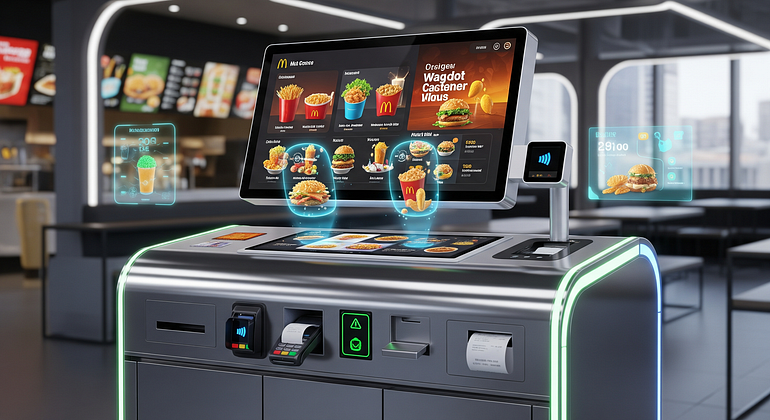
McDonald’s is introducing smarter self-service kiosks that combine AI, improved design, and app data to make ordering faster and more personalized. These upgraded kiosks not only speed up checkout but also offer helpful menu suggestions and give guests more control over their order experience. While advancing technology, McDonald’s remains committed to privacy and accessibility, ensuring kiosks serve all guests comfortably. Importantly, staff continue to play a vital role in creating a welcoming dining environment. This post will explore the key kiosk changes rolled out in 2025, their benefits for guests, and what the upgrades mean for employees and franchise owners.
What changed in McDonald’s smart kiosks this year
In 2025, McDonald’s kiosks have seen several upgrades that guests will notice immediately. AI-powered dynamic menus adjust what items appear based on factors like time of day, weather, and location — for example, promoting hot drinks on chilly mornings or local popular items. The interface has been streamlined to reduce taps and wait times, with one-tap reordering, clearly visible upsell options, and faster payment methods supporting tap to pay, Apple Pay, Google Pay, and saved cards. Accessibility features now include larger text options, high contrast modes, screen reader compatibility, language selections, and ergonomic design for wheelchair users. Privacy remains a priority: kiosks only use data guests opt into, like saved order history within the app, and do not employ intrusive methods like facial recognition. Guests can always choose guest checkout to maintain full control over their data. Behind the scenes, upgraded edge computing hardware ensures quick processing of AI models onsite, minimizing delays and improving real-time personalization.
AI suggestions show the right items at the right time
AI on McDonald’s kiosks reorders menu tiles and suggests items tailored to each moment. For instance, cloud AI or on-device models recognize patterns such as offering hot beverages during cold mornings, highlighting trending local favorites, or suggesting specially priced bundles. This personalized approach helps guests find what they want faster without overwhelming them with choices. The AI system learns limited past behavior from guests signed into their McDonald’s app accounts to refine suggestions while respecting privacy controls.
Faster flows cut taps and wait times
Kiosk ordering flows have been simplified with reduced steps, enabling one-tap reorders of favorites. Intuitive category layouts and upsell tiles encourage easy additions without slowing down the process. Payment has been optimized for speed with support for multiple digital wallets like Apple Pay, Google Pay, and stored credit cards. These enhancements are especially valuable during peak lunch hours, helping guests move quickly through lines and making overall visits more efficient.
Accessibility and language tools make kiosks easier for all
McDonald’s kiosks now offer multiple accessibility features, including options for larger text and high-contrast display for better readability. Screen readers and text-to-speech output help visually impaired guests, while headphone jacks provide a private ordering experience. Button placement and kiosk height have been adjusted for wheelchair users, alongside multilingual menu options and intuitive icons. These tools ensure everyone can access the full functionality of the kiosks with ease and dignity.
Privacy by design: how data is handled
Personalization relies on data guests choose to share, such as McDonald’s app login and order history, but sensitive methods like face recognition are not used. Privacy controls are transparent, and guests can opt out or use guest checkout for full anonymity. Data is processed locally on edge devices to minimize exposure, and strict compliance with local privacy laws ensures protection. Users are encouraged to manage their preferences and control what data powers their personalized experience.
How smarter kiosks improve your visit
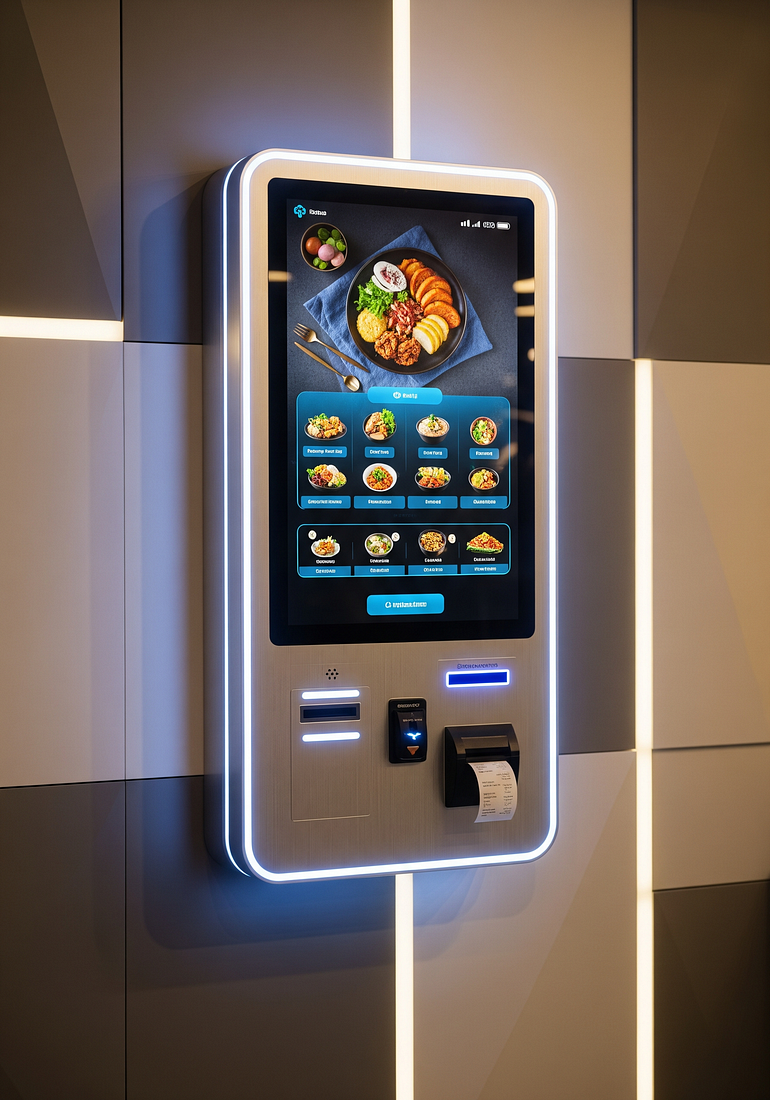
These kiosk upgrades translate to tangible benefits for guests. Speed and accuracy improvements mean quicker checkouts with fewer errors. Clear menu guidance, live cart reviews, and visible allergen or nutrition information help guests make confident choices. Personalized bundles and seasonal offers tailored to guests’ tastes and moments create a pleasant upsell experience without feeling pushy. Integration with the McDonald’s app allows seamless reward points earning, deal redemption, and flexible payment options, including split payments and gift cards. After ordering, clear on-screen updates and optional SMS alerts keep guests calmly informed about pickup status, removing uncertainty.
Quicker checkout with fewer mistakes
Guided ordering steps and live cart checks reduce errors and prevent wrong orders. Guests can view full nutrition details and allergen warnings before completing payment, helping those with specific dietary needs. Returning guests can save custom orders — such as a specific burger build — for instant reordering, cutting time significantly.
Personalized bundles and seasonal picks you will actually want
Limited-time offers and region-specific menu items appear dynamically based on AI suggestions. Upsell prompts are gentle, like suggesting a small fries that saves money with a combo deal. This friendly approach encourages bigger orders while respecting customer choice.
Rewards, app sync, and flexible payments
Kiosks link directly to the McDonald’s app or phone numbers, enabling points accumulation and deal redemptions in real time. Payment options are diverse: guests can tap to pay with digital wallets, use gift cards, or even split payments across methods. The ordering flow remains simple — scan, order, then tap to pay.
Clear pickup steps reduce stress after you pay
Kiosks display order numbers and status updates prominently on-screen, with table service tags where offered. Order readiness is communicated via digital boards or SMS alerts, so guests know exactly when to collect their meal without worry or confusion.
What this means for crews, owners, and the brand
The smarter kiosks shift routine ordering tasks to technology, allowing crew members to focus more on hospitality, quality control, and dining area maintenance. Staff receive training to assist guests with kiosk use without pressure. Kitchen synchronization ensures orders arrive timed for freshness, using smart batching strategies for items like fries and nuggets to optimize meal flow. From a financial view, investment in upgraded hardware, software, and network infrastructure is balanced by higher throughput, increased average order size, and fewer order remakes. Franchise owners benefit from real-time data to test layout efficiency and monitor guest satisfaction. Challenges such as avoiding pushy upsells and ensuring fairness are addressed through simple feedback tools, A/B testing, and ongoing accessibility audits.
Crews spend more time on quality and hospitality
With kiosks managing order intake, employees can devote energy to greeting customers, verifying order accuracy at handoff, and keeping the restaurant clean and inviting. Training encourages supporting guests unfamiliar with kiosk use sensitively.
Kitchen sync keeps food hot and fresh
Orders flow efficiently to kitchen display systems, with timing managed at an item level for peak freshness. Make-to-order items coordinate with batching strategies to maintain speed without sacrificing quality.
Costs, upgrades, and payback for franchise owners
Typical cost areas include kiosk hardware, software licenses, support, and added network demands. Gains come from faster service, larger average checks, and fewer remakes, leading to a positive ROI. Owners are advised to continuously test interface layouts and monitor speed of service and guest feedback for optimization.
Risks, bias, and how to give feedback
Potential downsides like confusing screens, pushy upsells, or uneven AI suggestions are mitigated using opt-out choices, simple feedback buttons, and routine audits for fairness and accessibility. This open feedback loop helps keep the system balanced and user-friendly.
Conclusion
McDonald’s smarter kiosks deliver faster orders, better menu choices, and more control over the dining experience, all while prioritizing privacy and accessibility. Looking ahead, innovations like voice ordering, AI-enhanced drive-thrus, and energy-efficient screens are set to further revolutionize convenience. Next time you visit, try a kiosk and share your feedback to help McDonald’s keep perfecting this high-tech experience.
FAQs
Q: How does McDonald’s ensure my privacy with AI-powered kiosks?
A: Only data you opt to share, such as your app order history, is used for personalization. The kiosks do not use facial recognition, and you can always choose guest checkout.
Q: Can I still order from a person if I don’t want to use the kiosk?
A: Yes, traditional cashier ordering remains available for those who prefer human assistance.
Q: Are the kiosks accessible for people with disabilities?
A: Yes, features like larger text, screen readers, headphone jacks, and wheelchair-friendly design ensure accessibility for all guests.
Q: How do AI suggestions work on the kiosk?
A: AI dynamically adjusts menu items based on time, weather, location, and your past orders if signed in, helping you find relevant items faster.
Q: What payment methods do the kiosks accept?
A: Kiosks support tap to pay, Apple Pay, Google Pay, saved cards, gift cards, and split payments.